Pay your water bill easily using M-Pesa PayBill.Follow the steps below to complete your payment in under a minute.
STEP 1: Go to Mpesa menu on your phone.
Open the M-Pesa menu on your phone to begin the payment process.
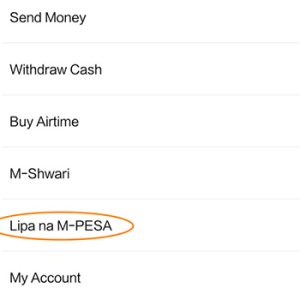
STEP 2: Select Lipa na M-Pesa
From the M-Pesa menu, choose Lipa na M-Pesa to access payment options.
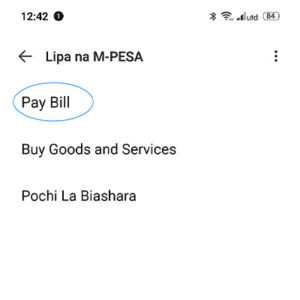
STEP 3: Select Pay Bill
Tap on Pay Bill to proceed with paying your water bill.
STEP 4: Enter the Business Number
STEP: Enter the Account Number
Important Detail: Make sure the account number is correct.
STEP 6: Enter the Amount
Key in the amount you wish to pay for your water bill.
STEP 7: Enter Your M-Pesa PIN and Confirm
Carefully enter your M-Pesa PIN, confirm the payment details, then press OK to complete the transaction.
✅ You will receive an SMS confirmation once the payment is successful.